HOW IT WORKS · INSIDE RPG EXCELLENCE
See the workflow.
Understand the value.
From the equipment in front of you to the concern that needs a response. Follow the actual platform screens and see where responsibility, evidence and decisions connect.
Real product screens, captured on 15 November 2026 using clearly labelled fictional demonstration records. The sample asset is retired; the demonstration reporting zone has been unpublished. Screenshots are examples, not live reporting routes.
01 / ASSET MANAGEMENT
The right record.
Beside the asset.
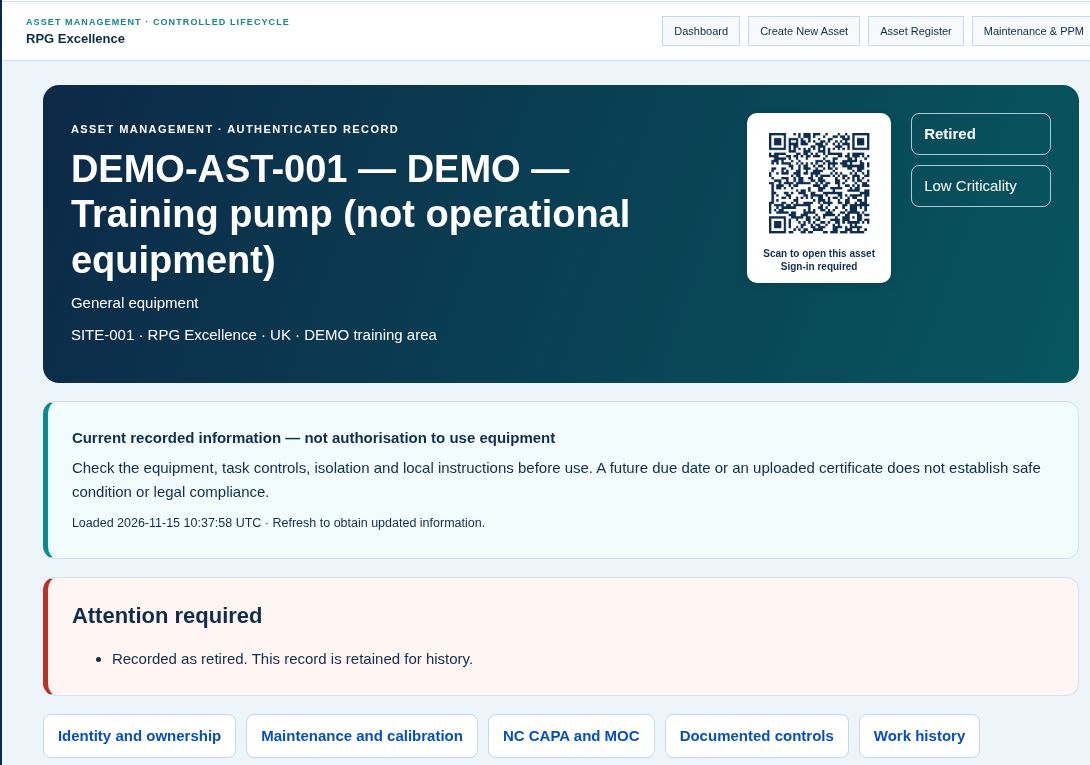
Reduce the search between a label on the workshop floor and the information needed for the next decision.
 View full screen
01Identify the equipment+
Create a distinct asset reference, location and accountable ownership. Check that the label belongs to the physical item before relying on its record.
Business valueA stable identity makes records and handovers easier to trace throughout the asset lifecycle.
02Scan and sign in+
The individual asset QR opens its record in a browser. Company allocation and permissions still apply; the label does not grant public access.
Business valueAuthorised people can reach the record at the point of work without first searching another register.
03Check the recorded position+
Review identity and ownership, maintenance and calibration, documented controls, work history and linked assurance records. Empty or missing information remains visible.
Business valueBring relevant evidence into the same decision. A future due date or uploaded certificate alone does not demonstrate safe condition.
04Follow the appropriate action+
Use the relevant maintenance, issue or change process when follow-up is needed. Keep responsibilities and evidence current. Scanning does not authorise use, repair or restart.
Business valueA traceable handover helps distinguish finding information from completing and verifying the work.
02 / INCIDENTS & CONCERNS
Make reporting easier.
Keep response accountable.
A concern has value when the right people can understand it, assess the risk and follow the response through.
 View full screen
01Connect a work area+
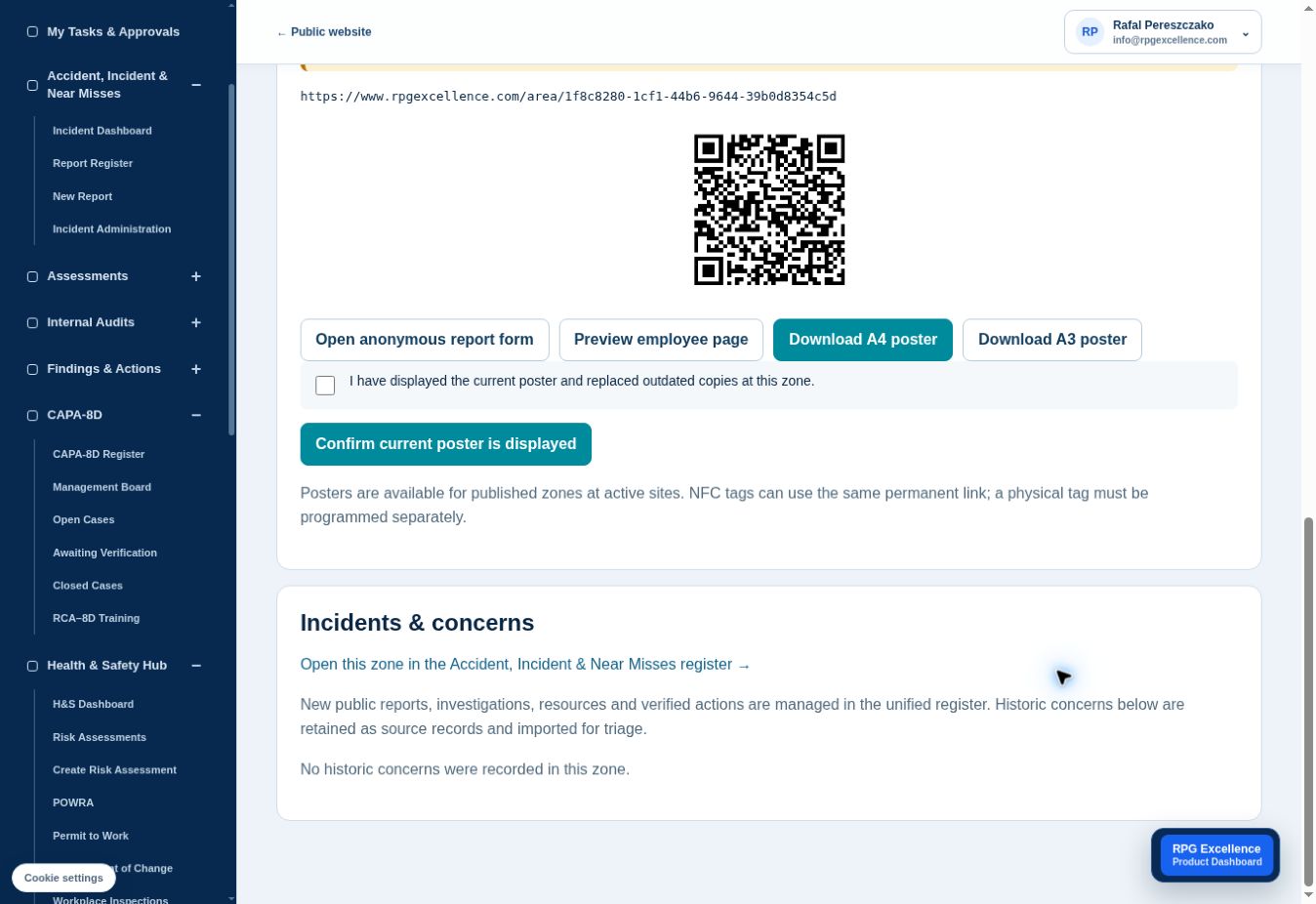
An administrator creates a controlled building or zone, reviews its content and publishes the reporting connection. A permanent zone QR and printable poster options are available.
Business valueThe report starts with work-area context, reducing the need to reconstruct where the concern arose.
02Describe the concern+
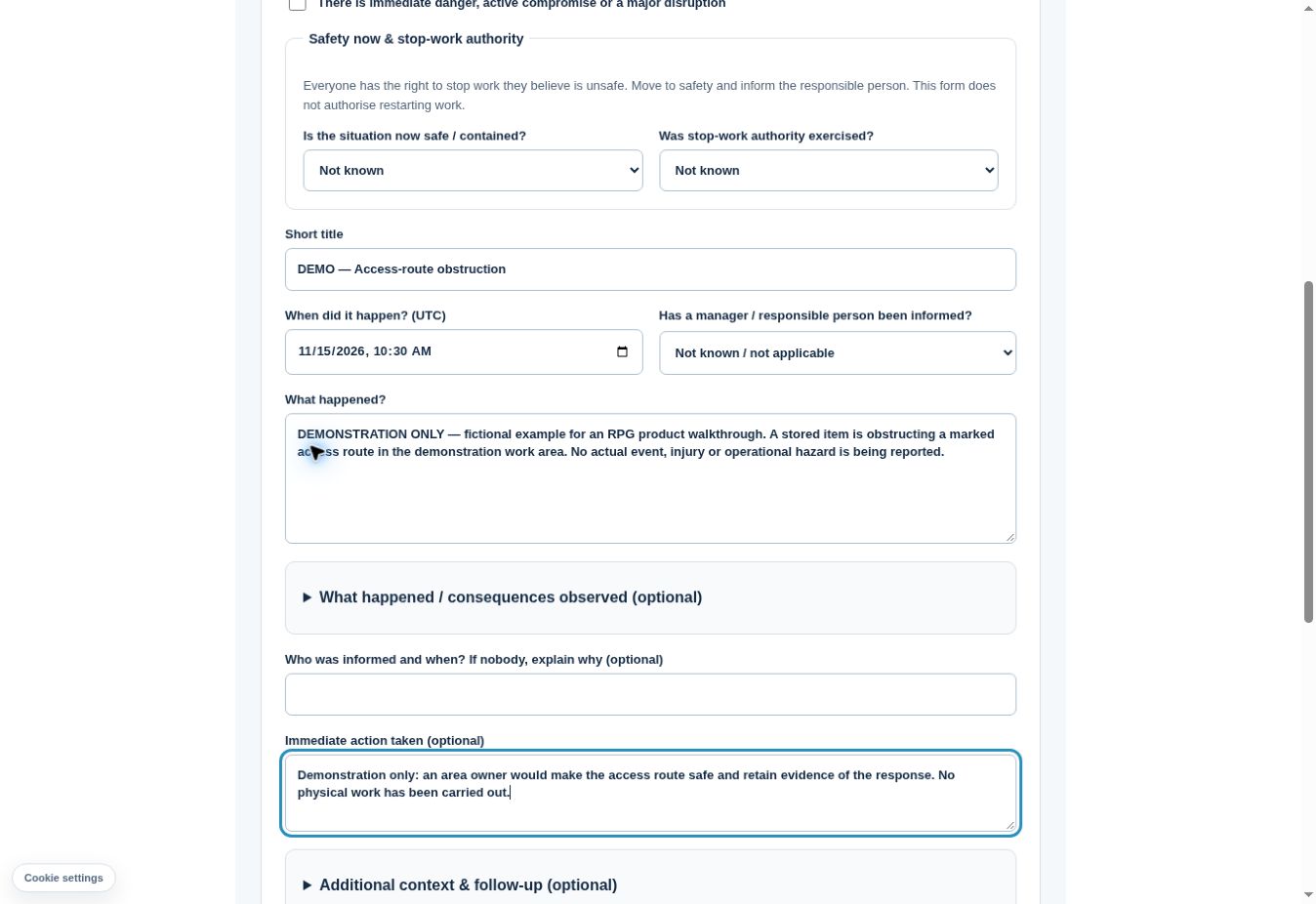
Open the area reporting route without an account. Select the reporting area, event type and apparent urgency; describe what happened and any immediate action. Photo and contact details are optional.
Business valueLower reporting friction while collecting the context needed for a useful first review. Anonymous reporting is not a guarantee of untraceability.
03Receive and assess+
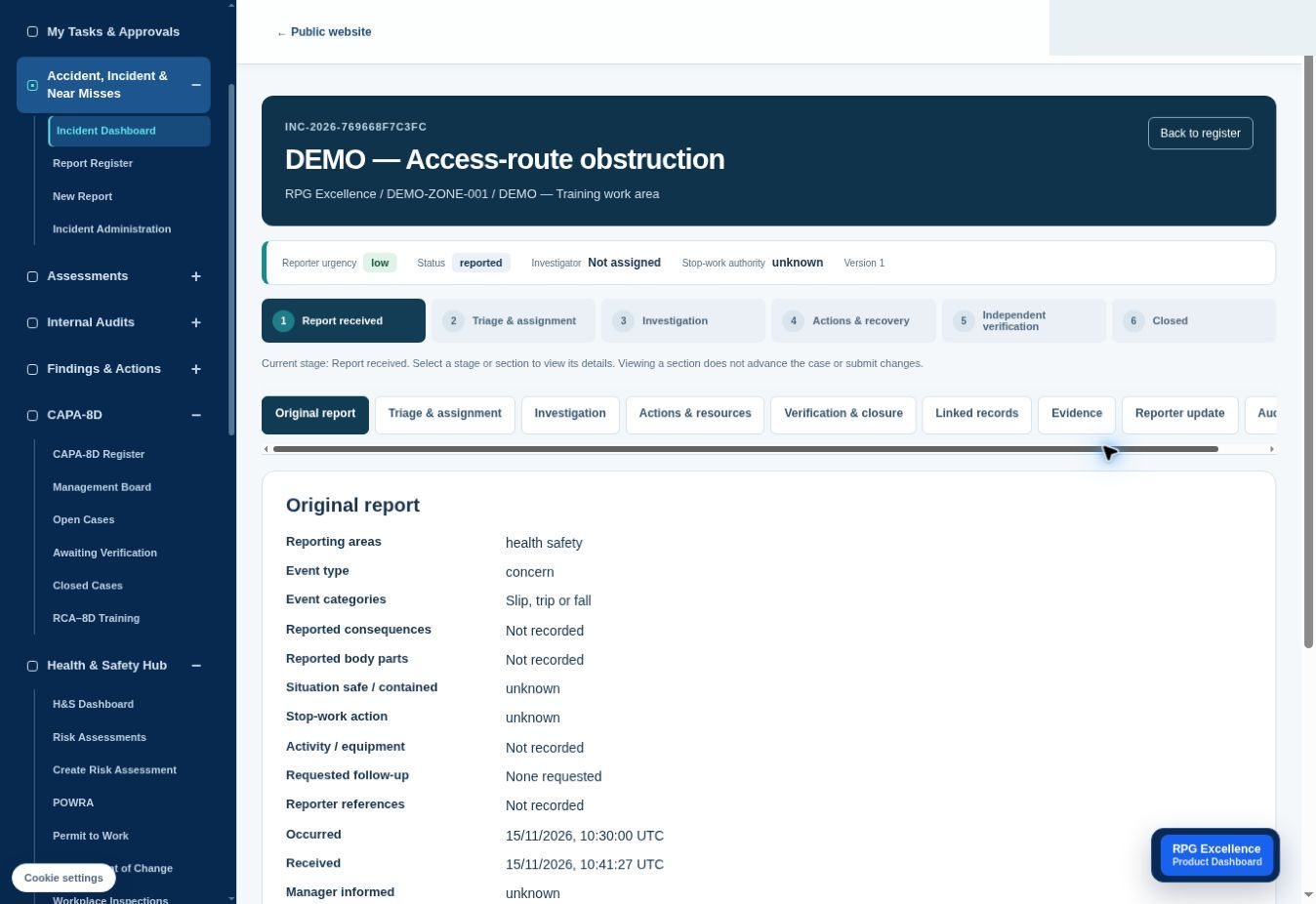
Submission creates a case reference and a private progress key. Authorised personnel review the report, assess classification and severity, and assign responsibility. Reporter urgency remains provisional.
Business valueA received concern becomes a traceable case rather than an isolated message. Receipt does not mean an investigator has accepted or acted on it.
04Investigate, act and verify+
The case provides stages for triage, investigation, actions and recovery, independent verification and closure. Appropriate permissions and approval conditions apply.
Business valueKeep action completion distinct from evidence that the response worked. This demonstration stops at report received; it does not claim a verified outcome.
 View full screen
 View full screen
Safe Operations walkthroughs
START WITH YOUR WORKFLOW
Where does the handover break down?
Discuss your records, roles and evidence requirements. We can walk through the relevant workflow and agree the setup and support your organisation needs.