Safe operations
Management of Change
See how RPG records a CNC installation proposal, screens its impact, links the supporting assessment and follows the change through approval and verification.
New CNC machining centreFictional example
Walk through a change
The actual RPG captures show the proposal and the HSE gate. Later decisions are illustrated with example records.
Change requestor
Define the proposal
Record what is changing, the affected area and equipment, the accountable owner and whether the change is temporary or permanent.
How it works / Management of ChangeBefore the change.
PLATFORM INSIGHT · CONTROLLED CHANGE
Before the change.
Know the impact.
Start with what is changing. Connect the people, risk assessment and decisions needed to carry it through to a reviewed outcome.
Sign-in and eligible company access required.
RPG EXCELLENCE / MOCActual platform screen
FICTIONAL EXAMPLE / REAL WORKSPACE
Installing a CNC machining centre.
Follow a clearly labelled demonstration request. See what the user enters, what changes the pathway and where supporting approval is needed.
Explore the screens ↓01 / FIND YOUR WAY IN
Dashboard. Register. New change.
Use the dashboard to find the module, the register to follow existing work, or New change to define a separate request.
Review the register
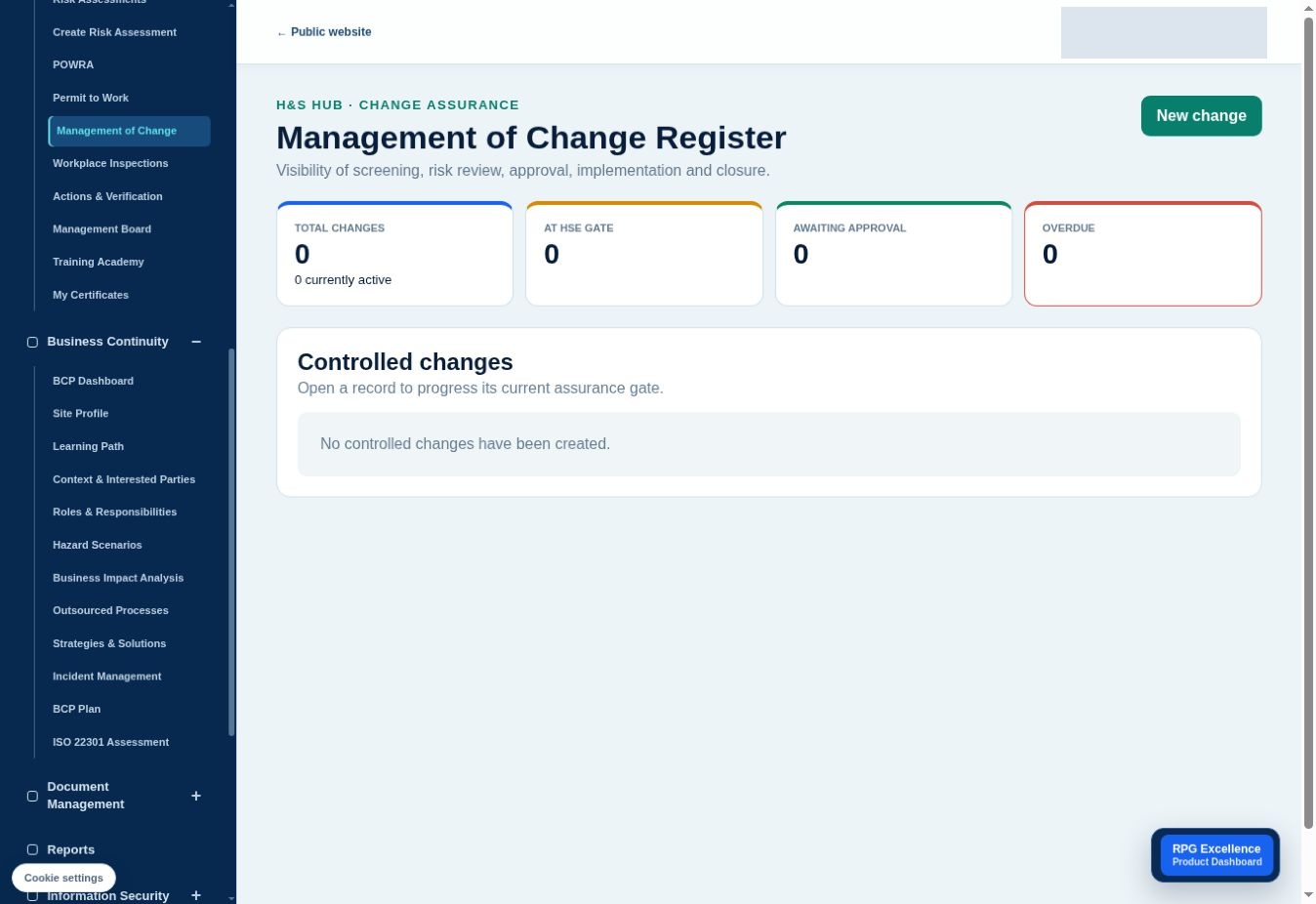
See changes at the HSE gate, awaiting approval or overdue. Open a saved record to follow its current stage.
MOC register →Choose New change
Select the company site, department and active users who request and own the change.
New change →02 / EXPLORE THE REAL SCREENS
One proposal. Connected decisions.
Select a card, or use the arrows, to follow the demonstration. Open any screenshot at full size.
INSIDE THE WORKSPACE / 01
Give the proposal a clear boundary.
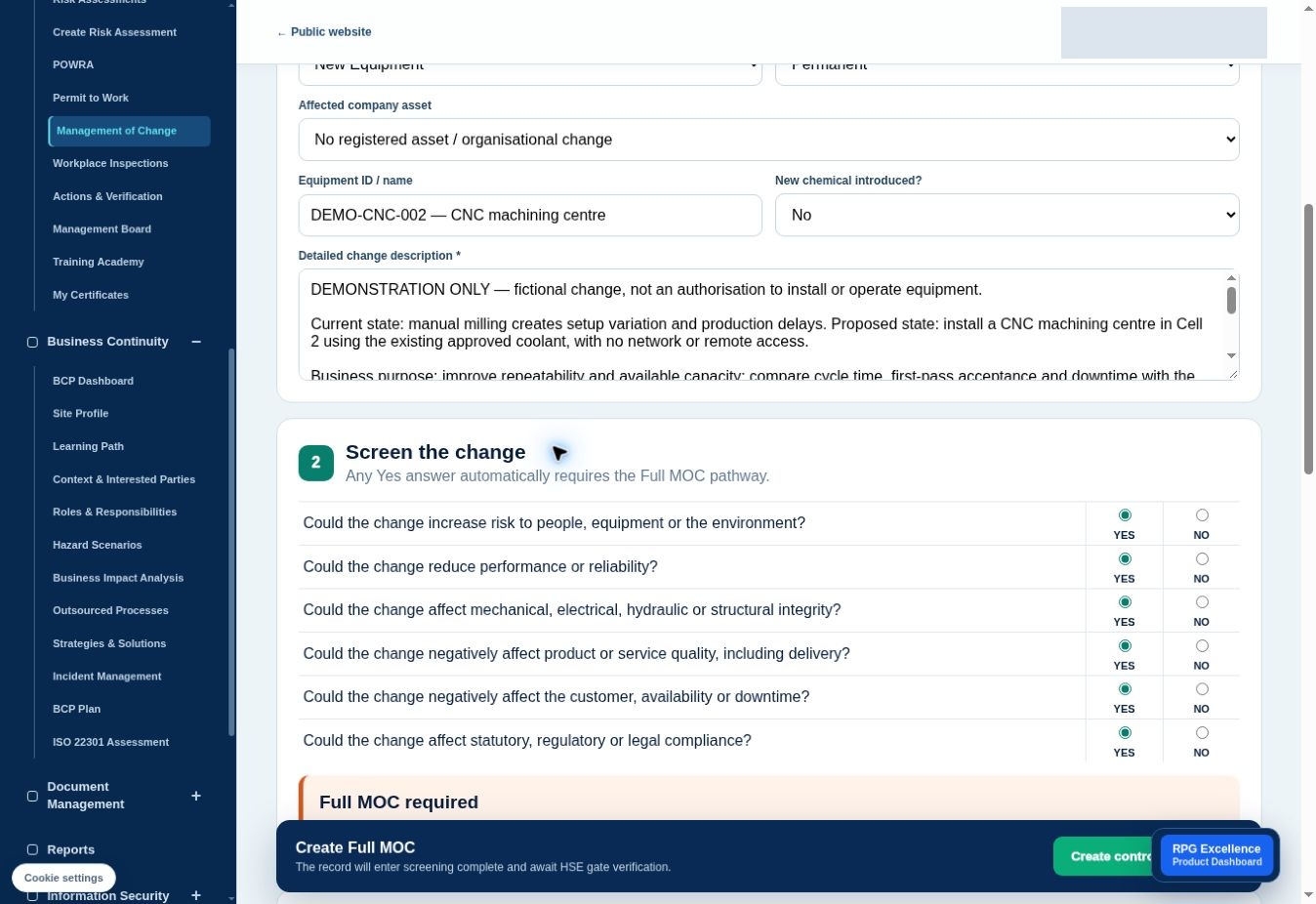
Describe the current and proposed state, choose the site and department, and identify the requestor and accountable owner. Record whether the change is temporary or permanent and identify the affected equipment.
Example: DEMO-CNC-002, a new CNC machining centre in Machining Cell 2. The description connects the production purpose with installation, document and training needs.
 View full screen ↗
INSIDE THE WORKSPACE / 02
Let the potential impact shape the review.
Answer the screening questions against the proposed change. Any Yes answer requires the Full MOC pathway. Questions for the selected change type add detail, with impact areas covering the affected functions.
The CNC example uses Yes answers for potential safety, integrity, performance, quality, delivery and compliance effects. All-No screening follows MOC Lite; proportionate approval and close-out still apply.
View full screen ↗INSIDE THE WORKSPACE / 03
Bring the supporting controls into the request.
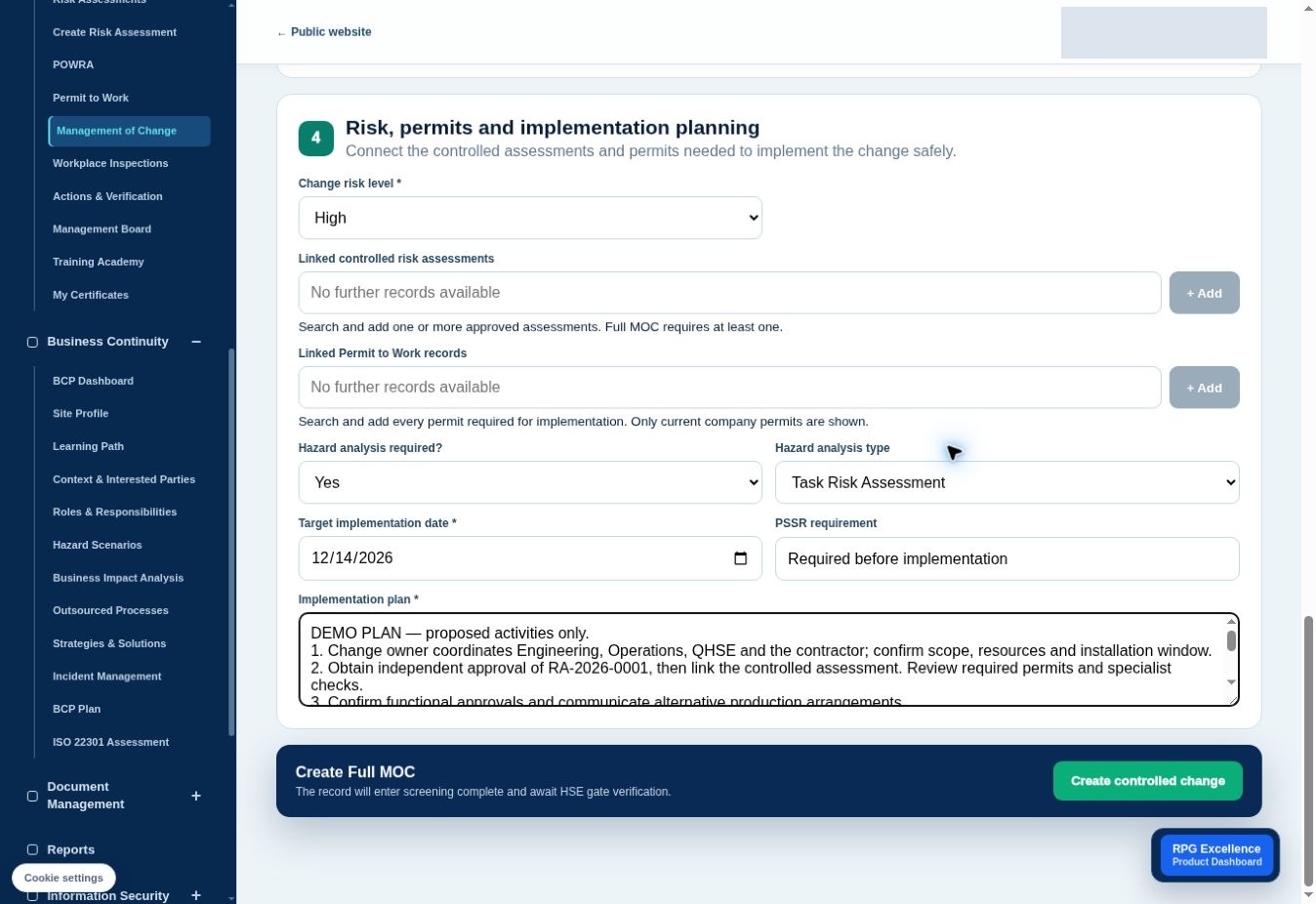
Set the change risk level, link approved controlled risk assessments and relevant Permit to Work records, and record hazard analysis and the implementation plan. Full MOC requires at least one approved assessment.
This filled request links approved demonstration assessment RA-2026-0002 Version 2. The change was then saved as MOC-2026-299EF4 and awaits HSE gate verification. The High rating is demonstration data, not an assessed operational conclusion.
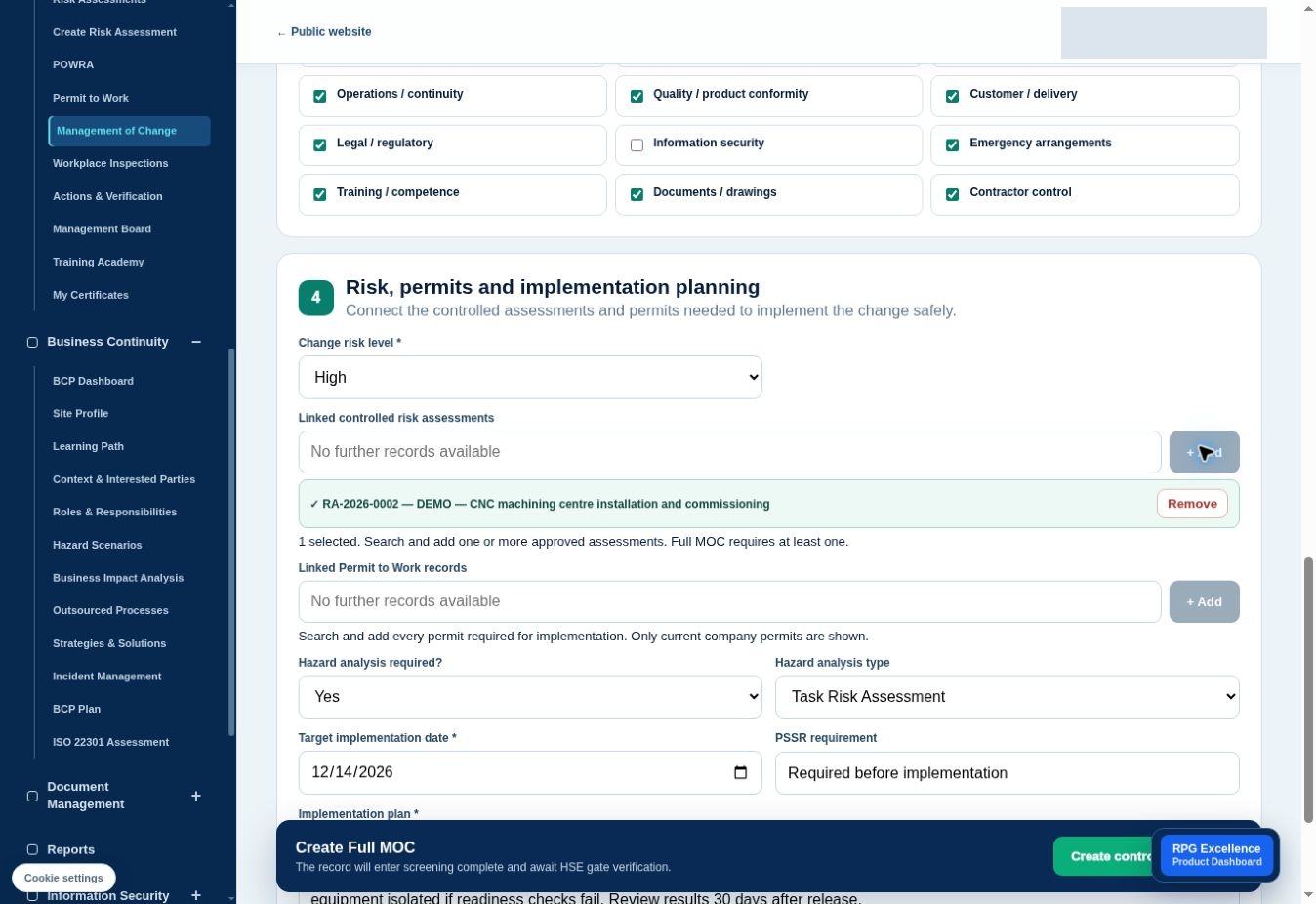 View full screen ↗
INSIDE THE WORKSPACE / 04
Follow the risk into its own controlled record.
The example assessment records delivery and positioning, electrical connection and trial-machining hazards. Each has an initial rating, proposed controls, an expected residual rating and an assigned action with a target date.
RA-2026-0001 contains three illustrative hazards and three open actions. Expected residual ratings depend on the proposed controls; no implementation or verification is asserted.
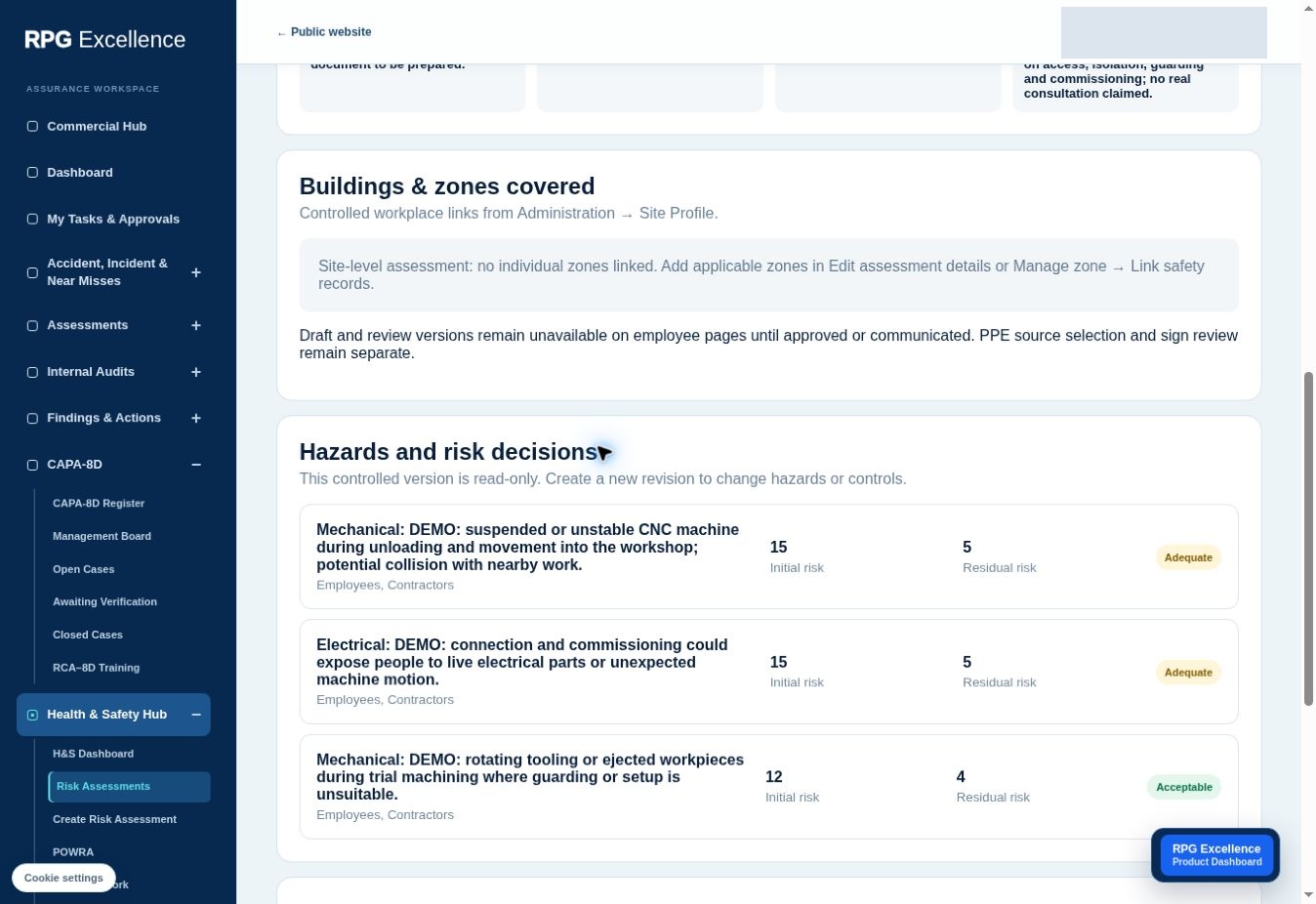 View full screen ↗
INSIDE THE WORKSPACE / 05
Keep assessment and approval distinct.
Submit the assessment for review, then use a competent approver other than the assessor. The review page shows readiness, outstanding actions and the controlled review arrangements.
After the nominated reviewer approved the fictional assessment, the Full MOC was saved with its controlled link. MOC-2026-299EF4 remains at the HSE gate; functional approvals, PSSR and implementation have not been completed.
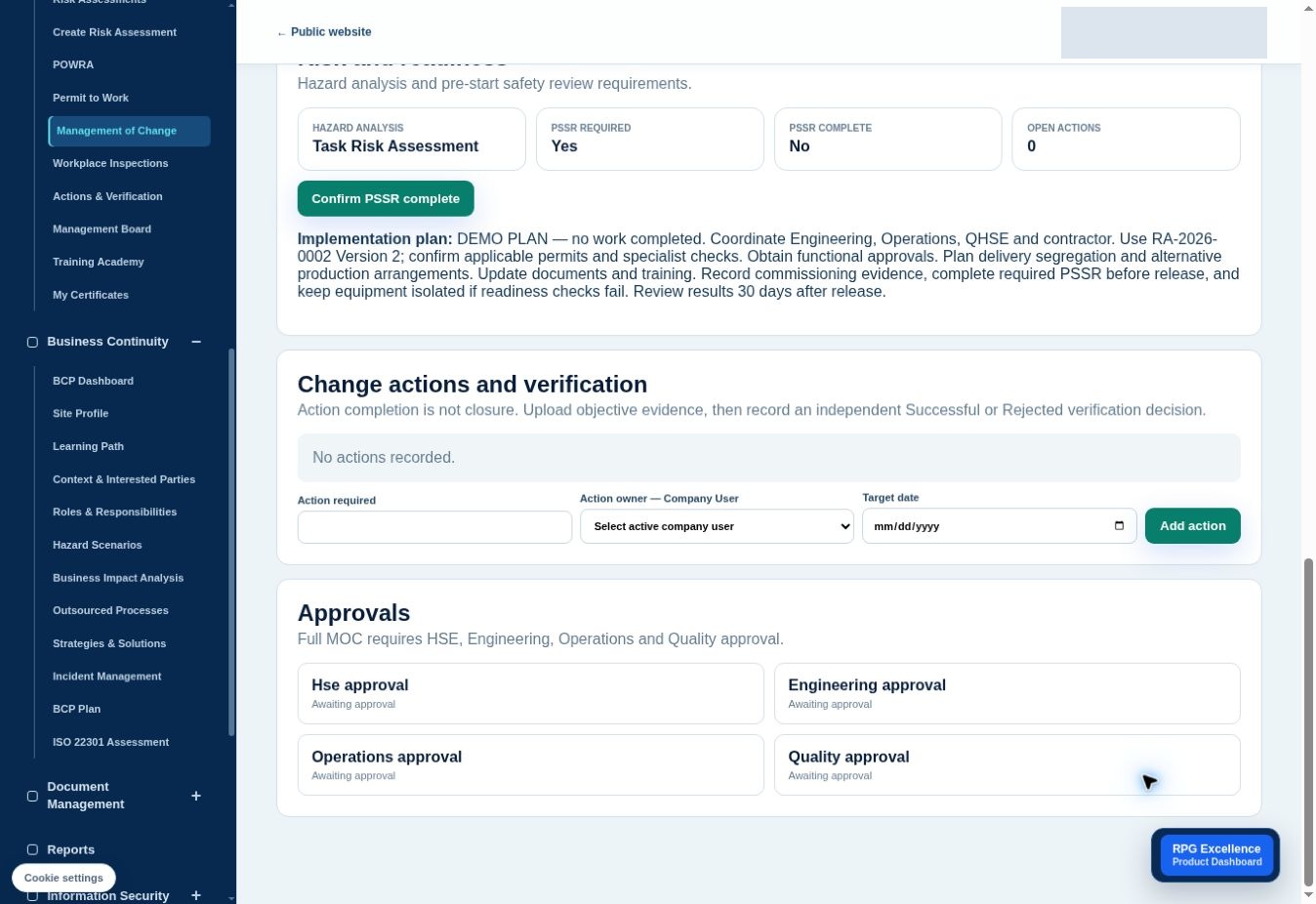 View full screen ↗
01 / 05 · Define
03 / WHAT COMES NEXT
Approval starts the next stage.
It does not prove the outcome.
After a request is saved, the MOC record provides the following stages. These are workflow capabilities, not completed activities in the illustrated example.
HSE gate and functional approvals
Record the HSE review and relevant approval decisions. The Full MOC route provides HSE, Engineering, Operations and Quality approvals.
Business valueMake the basis for the next decision available to the people responsible.
Readiness, actions and evidence
Use the implementation plan and pre-startup safety review (PSSR) where required. Assign change actions, retain objective evidence and submit actions for verification.
Business valueConnect the planned handover to responsibilities and the evidence of what was done.
Review the result before closure
Record post-implementation observations, action verification decisions and closure comments. For the CNC example, compare cycle time, first-pass acceptance, downtime and operator feedback with the baseline.
Business valueDistinguish completing the change from demonstrating that it delivered the intended result.