Start in the H&S dashboard
Use Health & Safety Hub in the platform navigation. The dashboard provides a New POWRA shortcut alongside the other operational controls.
Open dashboard →From requirements to verified action
At the point of work
Records, resources and resilience
Access, evidence and oversight
Safe operations
Work through Stop, Think, Act and Review to see how readiness and remaining risk affect the decision at the point of work.
Explore the actual RPG form sections and try an example where a missing prerequisite changes the decision.
Person completing the check
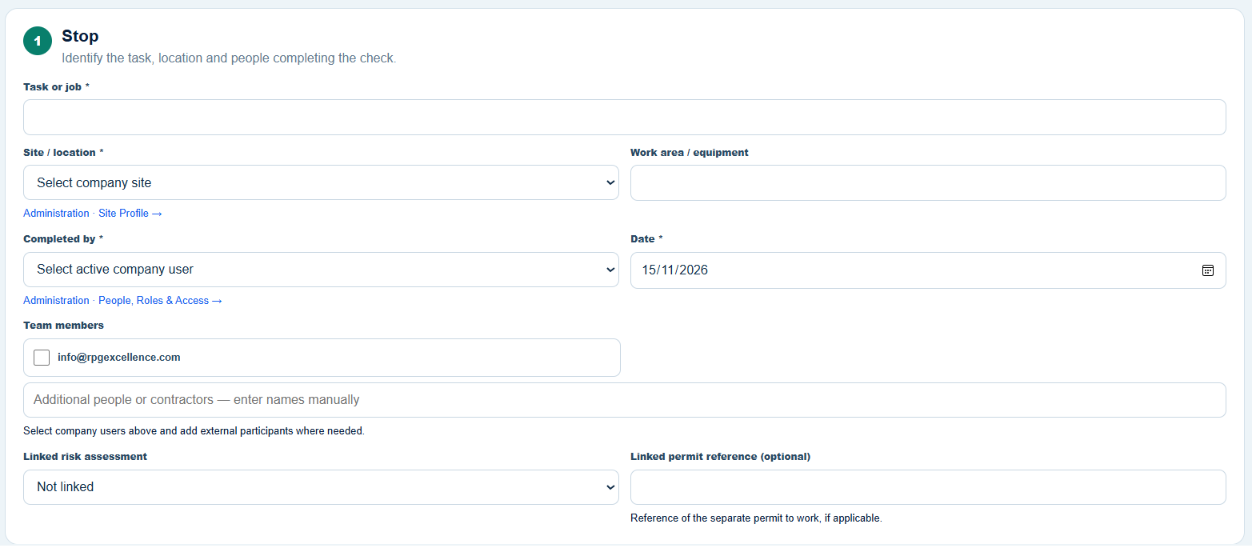
Identify the task, site and work area. Add the people involved and link the approved assessment or enter the relevant permit reference where applicable.
PLATFORM INSIGHT · POINT OF WORK RISK ASSESSMENT
Open a check where the work happens. Record the conditions, precautions and decision. Return to the register to see what was saved.
THE BUSINESS CONNECTION
Bring the task, people and remaining risk into the same check, so a failed prerequisite or an unresolved hazard has a clear place in the response.
Sign-in and eligible access required. Open the workspace online before moving out of coverage.
ONE TASK CHECK / FOUR SECTIONS
Explore the real screens below. Select a step to see what the user enters, what changes the decision and what is retained.
Explore the form →01 / FIND YOUR WAY IN
Choose the route that matches what you need to do. Existing records and a new assessment have distinct starting points.
 View full screen
Use Health & Safety Hub in the platform navigation. The dashboard provides a New POWRA shortcut alongside the other operational controls.
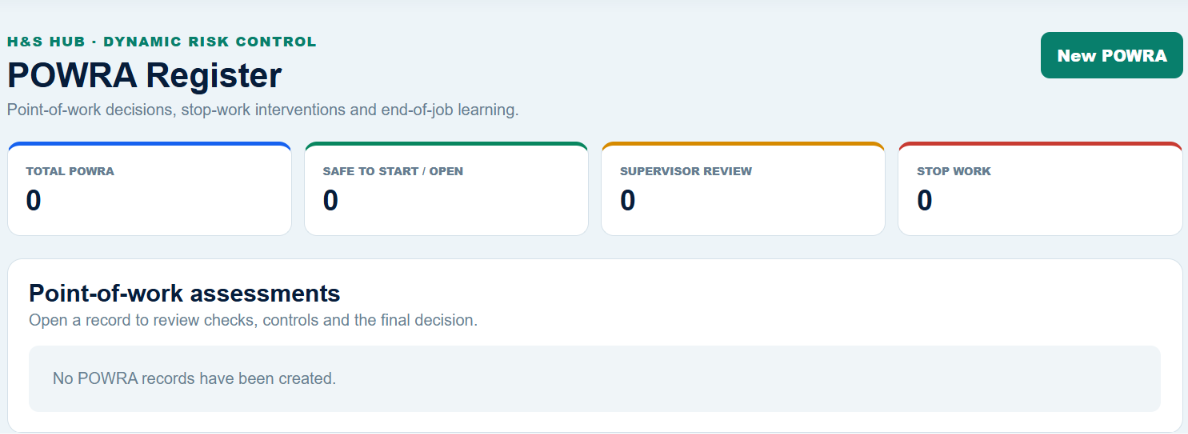
Open dashboard →See total records, open checks, supervisor-review cases and stopped work. Open an individual saved record to read its checks, hazards and decision.
Open register →Start a separate task check. Company sites and active users must be available, and an approved risk assessment can be linked where applicable.
Open new assessment →02 / EXPLORE THE WORKSPACE
Select a card to look inside that part of the form.
INSIDE THE FORM / 01
Enter the job, choose the company site and identify the person completing the check. Add the work area and team, then link an approved assessment or enter a separate permit reference where relevant.
Company sites and active users come from Administration. The final POWRA reference is assigned when the record is saved.
View full screenINSIDE THE FORM / 02
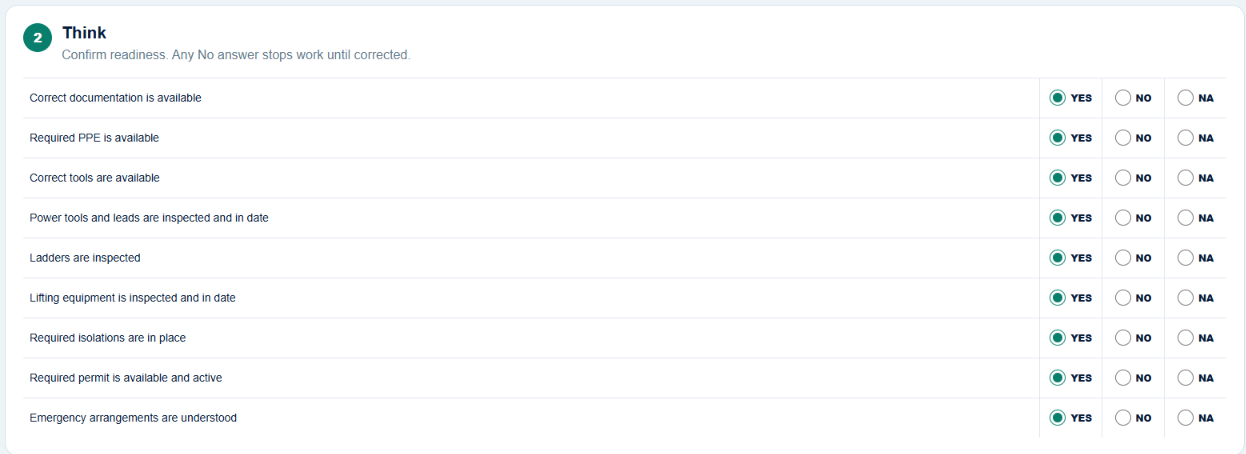
Work through the readiness questions against conditions in front of you. Change every answer to match the task, using N/A only where appropriate. A No answer changes the decision to Stop work.
Initial selections are not evidence that a check has been made. Review documentation, equipment, isolations, permits and emergency arrangements as applicable.
 View full screen
INSIDE THE FORM / 03
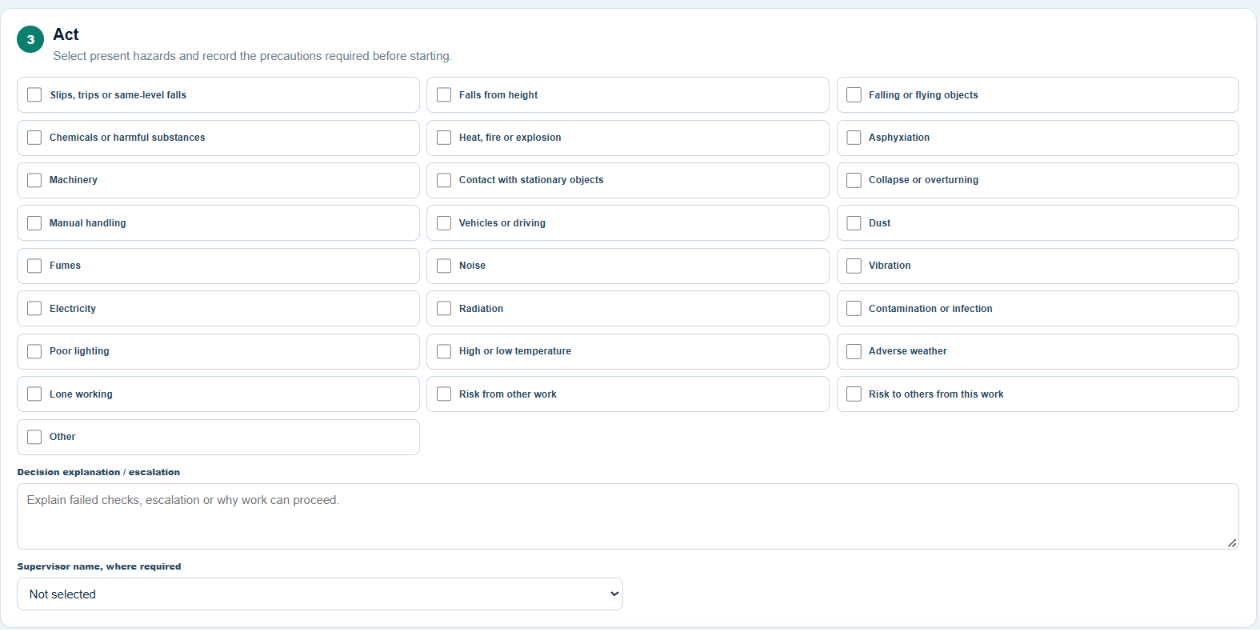
Select the hazards that are present. Each selection opens a control-measures field and a remaining-risk choice. Describe the precautions, assess the remaining risk and explain any escalation.
Medium remaining risk flags supervisor approval required. High remaining risk or any failed readiness check produces Stop work. A supervisor name does not itself record approval.
 View full screen
INSIDE THE FORM / 04
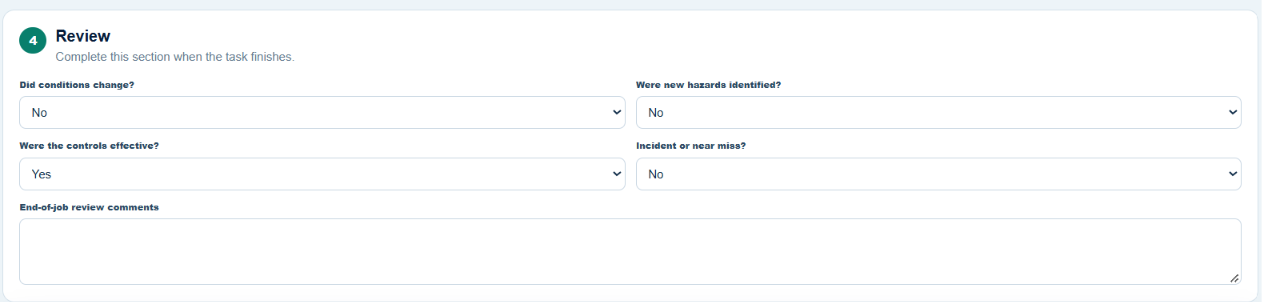
The Review section asks about changed conditions, new hazards, control effectiveness and incidents or near misses. Use comments to record the context rather than relying on a Yes or No alone.
These fields are submitted with the form. Saved records currently support viewing and closing; later editing is not available. If circumstances change after saving, stop and complete a fresh POWRA.
 View full screen
03 / WHEN THE ANSWERS CHANGE
The decision banner updates as readiness answers and remaining-risk selections change. It is based on the entries made, so those entries need to reflect the actual task.
No readiness answer is No, and no selected hazard has medium or high remaining risk. This does not replace the required permit, isolation or other authorisation.
A selected hazard has medium remaining risk, with no overriding stop-work trigger. Explain the escalation and obtain supervisor confirmation before starting.
Any No readiness answer or any high remaining risk takes priority. Correct the failed prerequisite or undertake a fuller assessment before proceeding.
04 / KEEP THE DRAFT AND THE RECORD DISTINCT
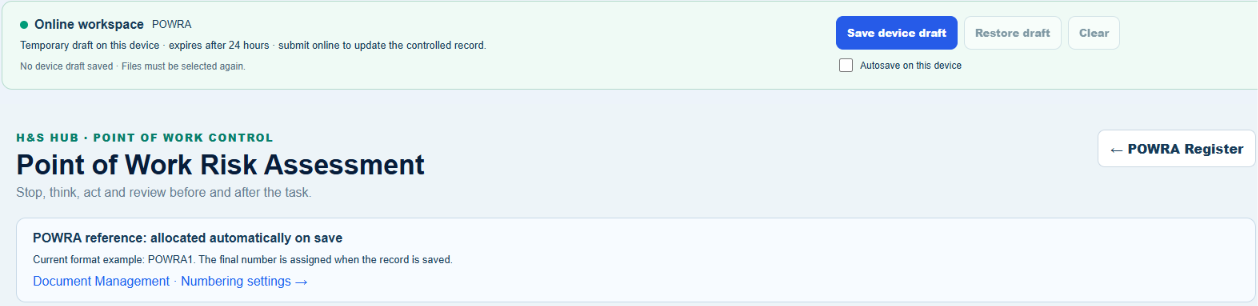
Device drafts help retain unfinished entries. They do not publish a controlled assessment or remove the need to reconnect.
 View full screen
Sign in, load New POWRA and check that the required site and people are available. Use Save device draft, or enable Autosave on this device, to retain entries in this browser.
Continue entering the check and saving the device draft if the connection drops. Opening another server page, loading the dashboard or starting a fresh session requires connectivity.
Restore draft checks the current server sources before restoring. Review the entries, then use Save POWRA online. There is no automatic submission or background synchronisation.
| Task | Connection needed? |
|---|---|
| Open the dashboard, register or a new form | Yes — load while online and signed in |
| Continue entering an already loaded form | No — keep the page open |
| Save a temporary device draft | No — device storage must be available |
| Restore a draft against current server sources | Yes — reconnect first |
| Save or close the controlled record | Yes — submit online |
Device drafts expire after 24 hours and are tied to the account, company and form in that browser. Changed source data can block recovery. Selected files and formal confirmations are not restored. Save important work online before the draft expires.