Safe operations
Risk assessments
Follow a CNC installation assessment from scope and hazards through review, revision and the controlled PDF.
CNC installation and commissioningFictional example
Walk through a risk assessment
Select a stage to see what RPG records. Open each screenshot to read it at full size.
Assessor
Define the work
Record the task, site, work area and people affected. Define boundaries covering delivery, installation, commissioning and trial machining.
How it works / Risk AssessmentsUnderstand the exposure.
PLATFORM INSIGHT · WORKPLACE RISK
Understand the exposure.
Keep the response connected.
Define the work, evaluate significant hazards and assign the controls. Follow the saved record through review, revision and the PDF produced by the platform.
Sign-in and eligible company access required.
RPG EXCELLENCE / RISK ASSESSMENTSActual saved record
FICTIONAL EXAMPLE / REAL WORKSPACE
A CNC installation.
A changed delivery route.
See the original saved assessment, the revised context, the review decision and both native RPG PDF exports.
Compare the actual PDFs ↓01 / FIND YOUR WAY IN
Start with the work.
Return to its controlled record.
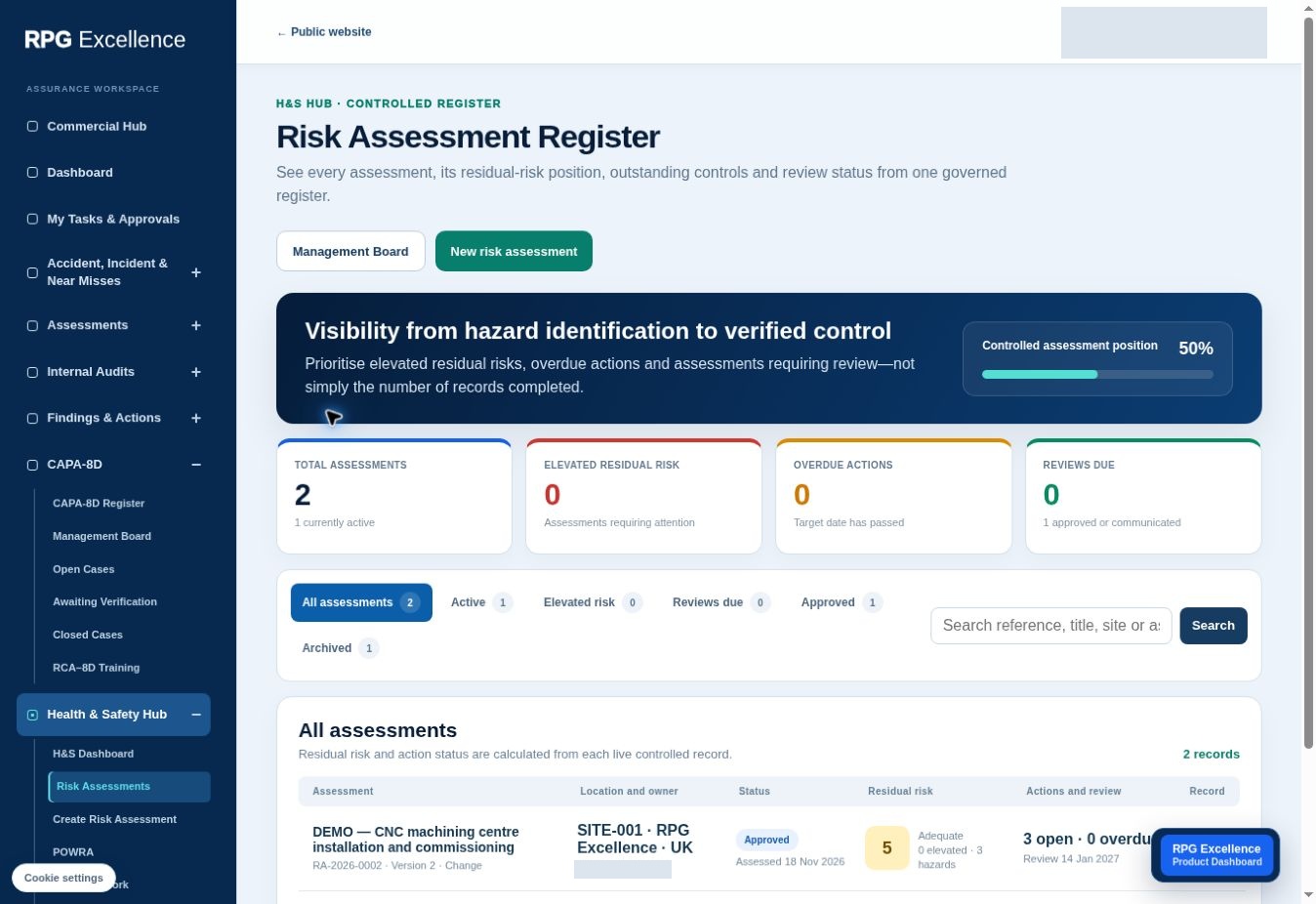
The register brings status, residual ratings, open actions and review dates together. Its counts here come from fictional demonstration records.
Find a saved assessment
Search the register or use its Active, Elevated risk, Reviews due, Approved and Archived views.
Risk register →Create a separate assessment
Define the title, task, site, department, assessor and people affected before recording hazards.
New assessment →02 / INSIDE THE WORKSPACE
Save the assessment.
Review the change.
Select a card to see where the risk decision, review and revision are recorded.
INSIDE THE WORKSPACE / 01
Keep the assessment connected to the work.
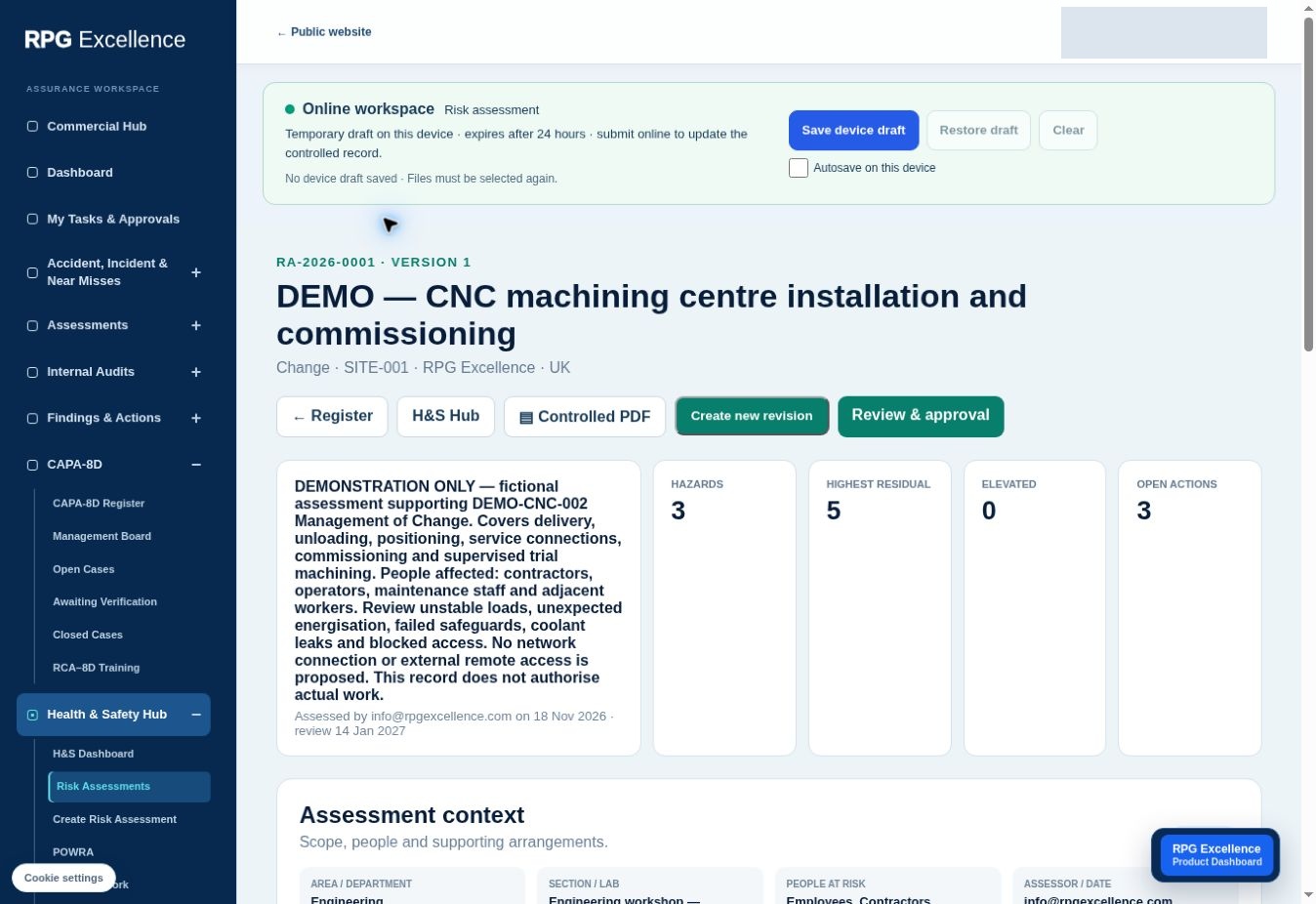
Define the site, department, work area, assessor and people who may be harmed. Record task boundaries, consultation and supporting control references.
The example covers delivery, installation, commissioning and trial machining. It is labelled DEMO and does not authorise real work.
 View full screen ↗
INSIDE THE WORKSPACE / 02
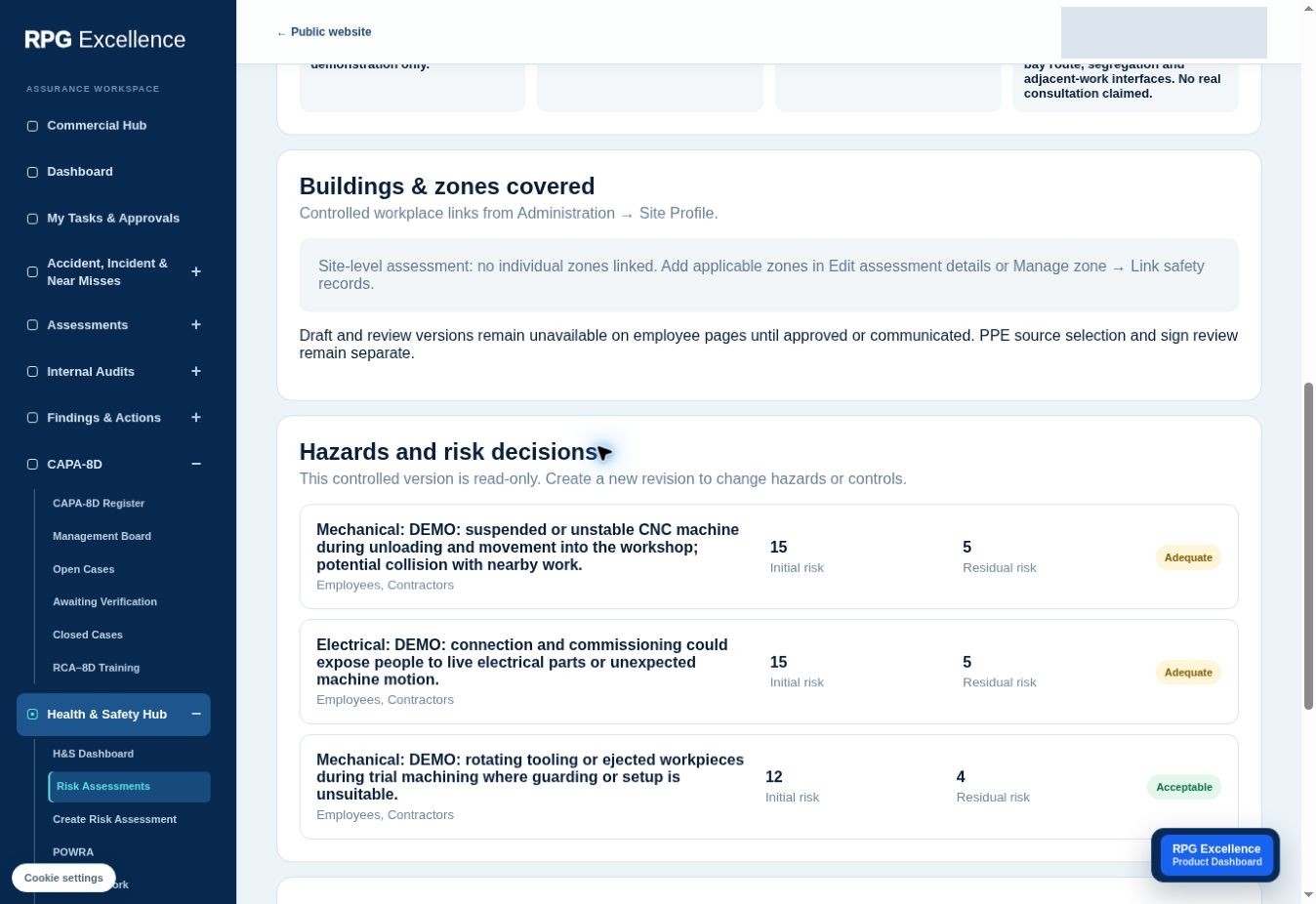
Connect hazards, controls and accountable actions.
For each significant hazard, record exposure and credible harm, existing controls, initial likelihood and severity, additional controls and the expected residual position. Assign action ownership and a target date.
Three demonstration hazards cover lifting, electrical connection and trial machining. Expected residual ratings depend on proposed controls; the three actions remain open.
 View full screen ↗
INSIDE THE WORKSPACE / 03
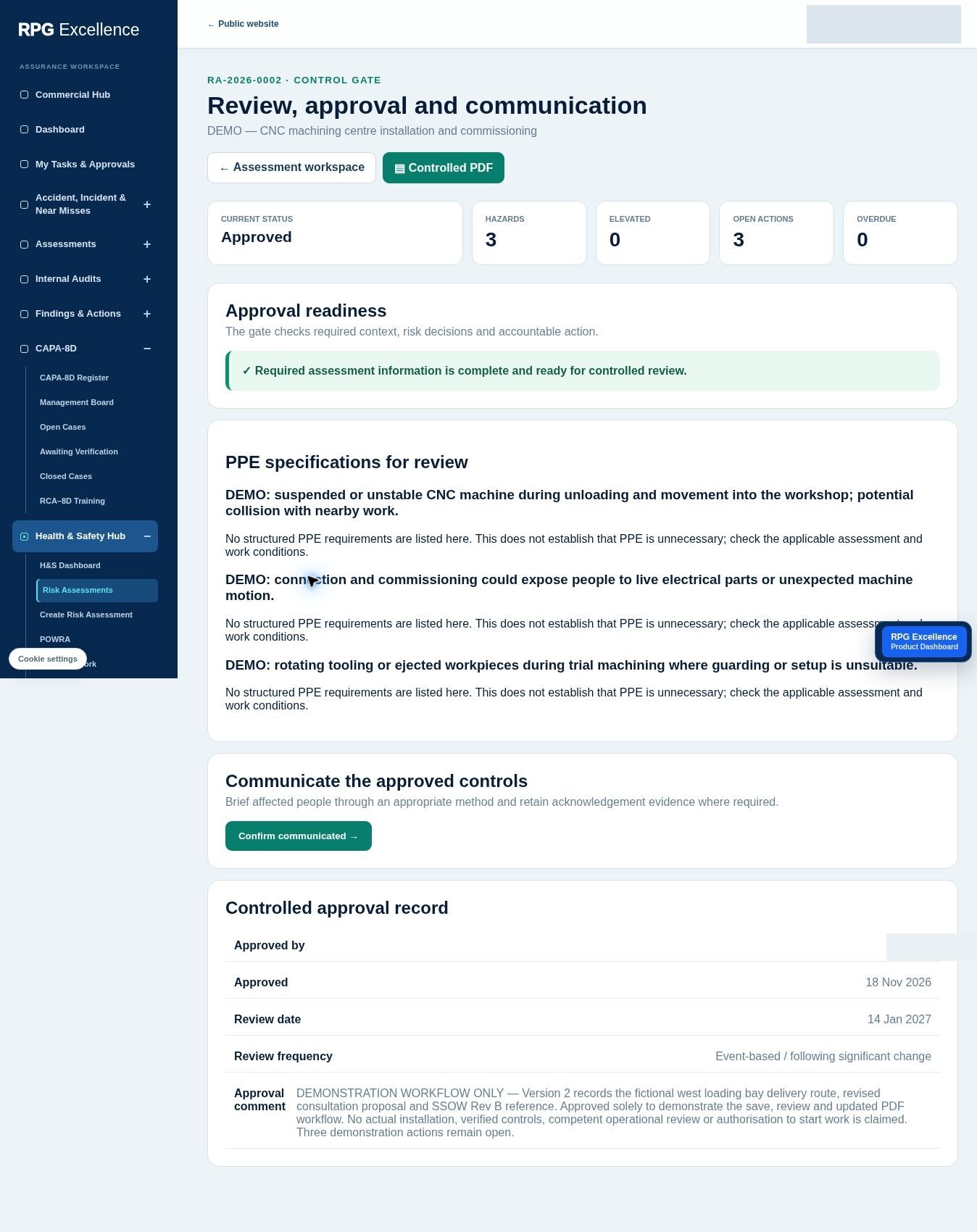
Record the independent review decision.
Submit the completed assessment for review. Select an active company approver other than the assessor, record the review arrangements and retain the decision comments.
Approval comments expressly identify this as a fictional demonstration, with no actual control implementation or operational release.
 View full screen ↗
INSIDE THE WORKSPACE / 04
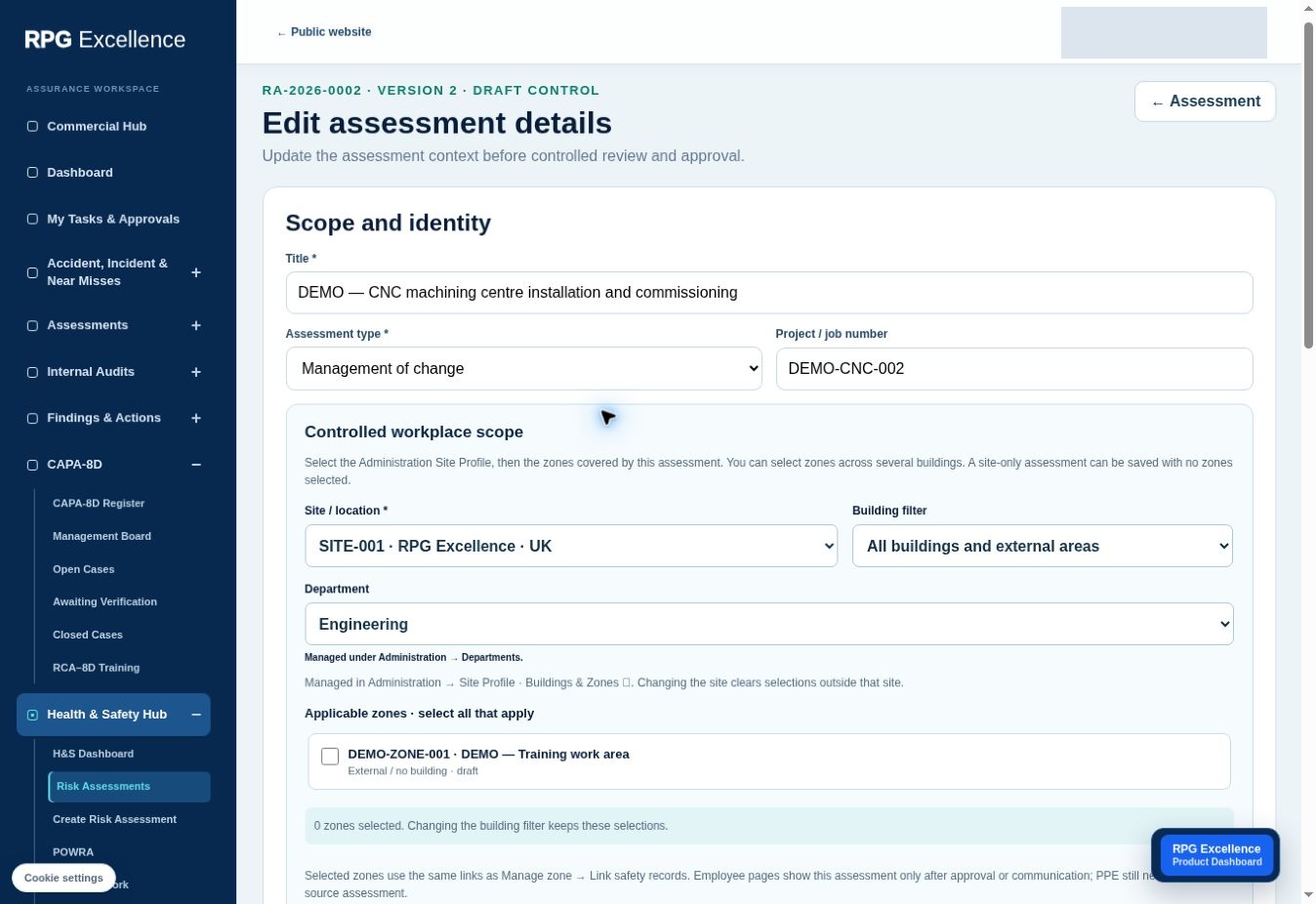
When the task changes, create and save a revision.
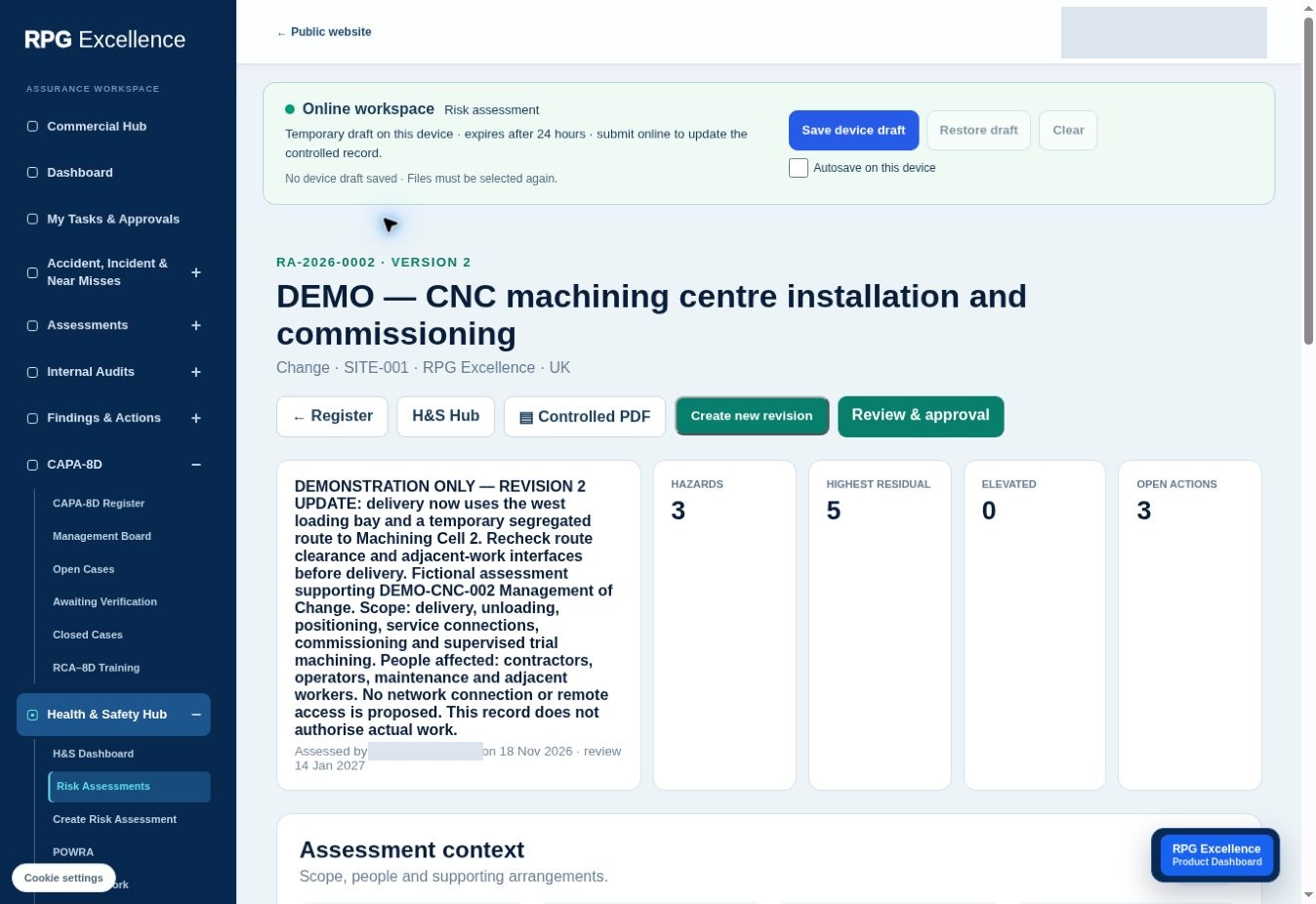
From an approved assessment, choose Create new revision. Update the draft in the RPG form and save it, then submit it for review again.
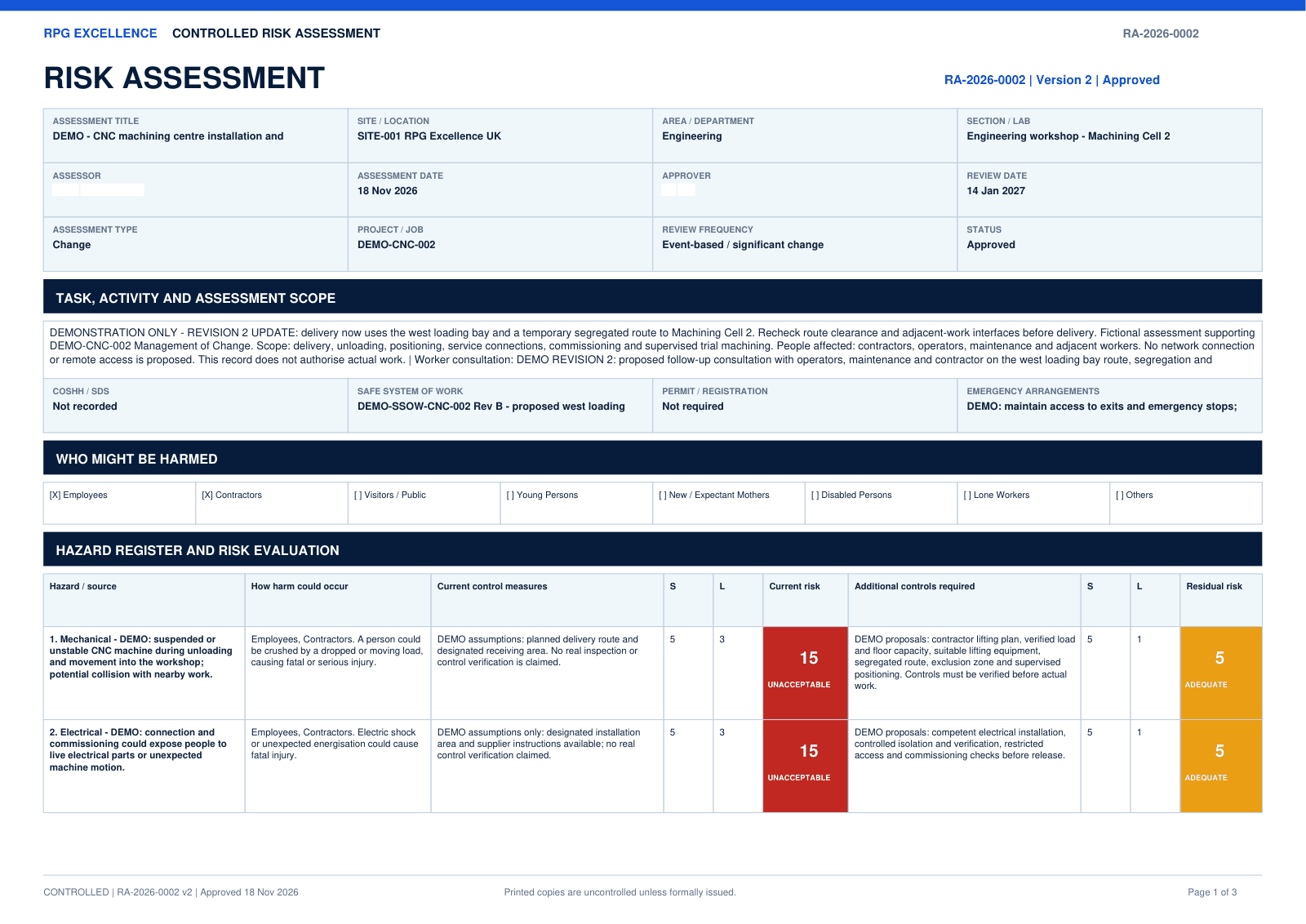
This example changes the delivery route to the west loading bay and updates the consultation proposal and SSOW reference. The platform assigned reference RA-2026-0002 to version 2.
 View full screen ↗
INSIDE THE WORKSPACE / 05
Open the saved record and generate its PDF.
After revision approval, open Controlled PDF from the saved record. The platform generates the PDF from that version, including the revised scope and approval details.
Both example RPG exports are available below with personal details removed. Version 1 was downloaded before revision; version 2 was downloaded after its own approval. Existing downloaded files do not automatically change.
View full screen ↗01 / 05 · Define
03 / ACTUAL RPG-GENERATED OUTPUTS
The saved version.
The updated PDF.
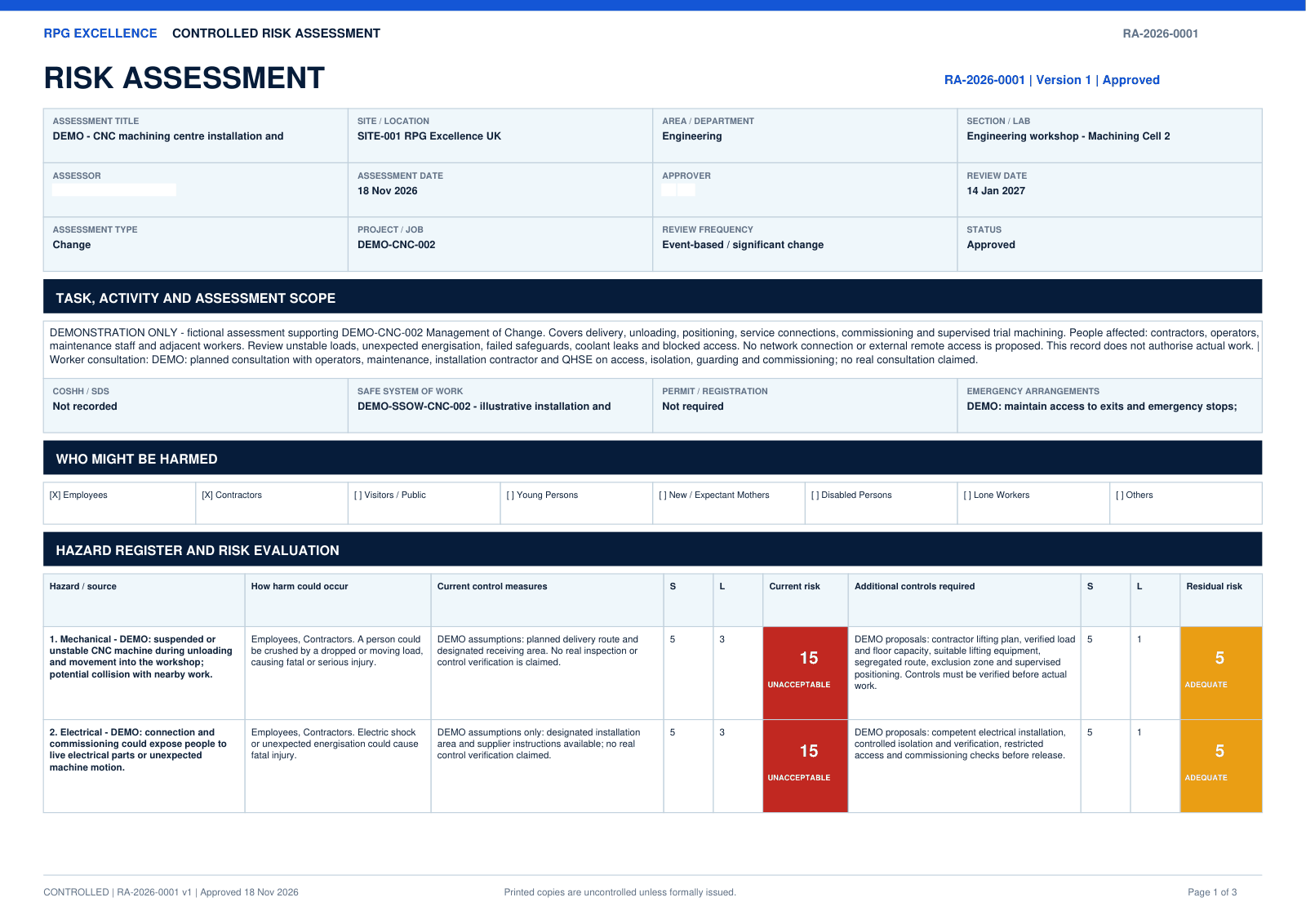
These are the example files generated using Controlled PDF in RPG Excellence, with personal details removed. The page previews render their first pages with personal names hidden; the downloads contain all three pages.
BEFORE / VERSION 1
RA-2026-0001 · Version 1
AFTER / VERSION 2
RA-2026-0002 · Version 2
A different delivery route
Version 2 adds the fictional west loading bay route and temporary segregation, updates the consultation proposal and changes the safe-system reference to Rev B.
Save, review, then export
The revision starts as a draft. Save the changes, submit for review and record approval before the Controlled PDF becomes available. Updating the record does not rewrite a PDF already downloaded.
Check the issue you are using
The PDF includes a reference, version, approval information, risk evaluation and action plan. Compare those details with the current register before issuing or relying on a copy.