Scan your zone
Use the work-area QR code to reach the relevant zone page in your phone browser. You do not need to return to a laptop to submit a report.
RPG INSIGHTS · ISSUE 031 · 27 OCTOBER 2026
Safety information where work happens. Reporting when it matters.
A hazard noticed on the shop floor should not have to wait until someone returns to a desk. RPG Excellence connects a work-area QR code with mobile access to local safety information and accident, incident and near-miss reporting.
Explore the Health & Safety Hub →Phone camera and browser. Zone-linked reports. No sign-in required to submit a zone report.
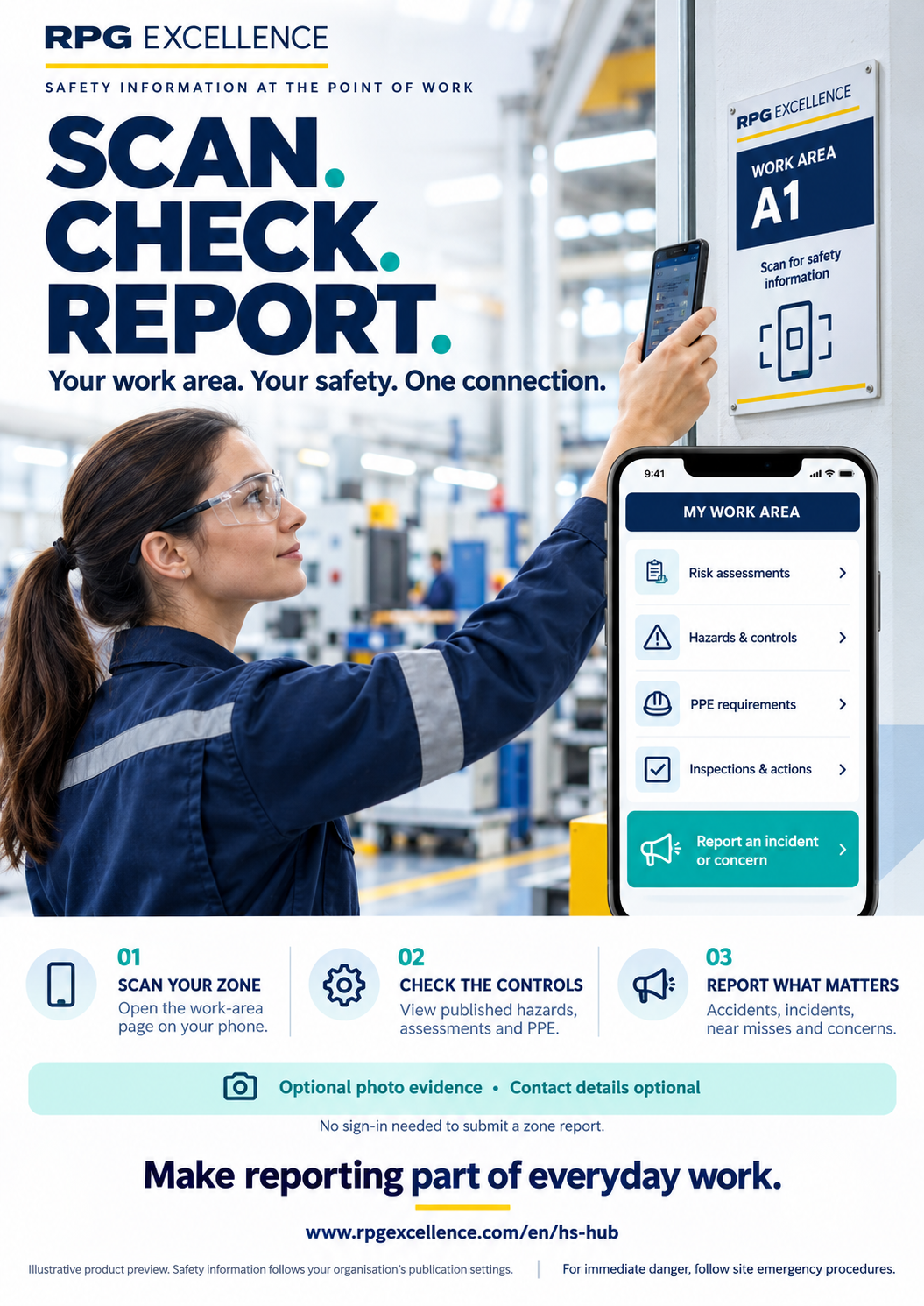
Use the work-area QR code to reach the relevant zone page in your phone browser. You do not need to return to a laptop to submit a report.
Where published and permitted, view local risk assessments, hazards, PPE and key controls, inspections and actions. Available information follows your organisation’s publication and access settings.
Report an accident, incident, near miss, hazard or concern in the context of that work area. Describe what happened and any immediate action; a photo and contact details are optional.
A person sees a damaged guard, experiences an injury or notices a near miss. The important first step is to make the situation safe and follow the site’s procedures. Once safe, a clear reporting route helps them capture the event while the details are still fresh.
The zone form links the report to the work area. It supports an account of the event, apparent urgency, immediate action and whether a responsible person has been informed. Optional photo evidence can help authorised reviewers understand the location and condition.
The employee work-area page brings available safety information closer to the point of work: published assessments, hazards and controls, PPE requirements and relevant inspection information. Staff can consult it through their phone browser, subject to the access and publication settings saved by their organisation.
Public reporting and access to internal safety records have separate controls. No sign-in is needed to submit a zone report; that does not make every internal assessment or company record publicly available.
Consider a hypothetical warehouse where a worker notices repeated damage at the same pedestrian barrier. A zone-linked report can identify the location, describe the concern and add a photo without waiting for office access. An authorised manager can review the evidence and decide what action is needed.
Measure the effect using your own baseline: time from event to report, completeness of location information, time to first review and repeated concerns. More reports can indicate better participation; report counts alone do not establish whether risk has increased or decreased.
Display each operational poster where people can safely read and scan it. Use that zone’s generated QR code and verify that it opens the intended page. Check the published information from an employee’s point of view and keep the poster aligned with changes to the zone.
The promotional artwork on this page illustrates the experience. Its work-area sign is not a working QR code and must not replace a generated operational zone poster.
Download the A4 promotional poster ↓People may report without providing contact details, or choose to leave them for follow-up. Written information and photos may still identify people or places; anonymous submission is not a guarantee of untraceability.
For immediate danger, follow site emergency procedures and contact the responsible team directly. The reporting form is not continuously monitored and does not summon emergency assistance.
Explore how the H&S Hub connects workplace risk assessments, controls, inspections, actions and zone-linked reporting.